
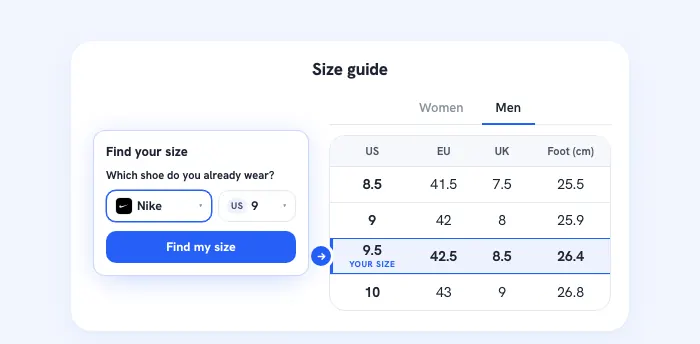
Your size page, with the size finder on top.
Your own size tables for women, men and kids, in your store's look and your column order. A shopper names a pair they own, or their foot length, and the right row lights up. One line of code on any platform, in 13 languages.
Free to start. No credit card.
 Nike
Nike Adidas
 Veja▾
Veja▾From your size chart to a live size page.
Pick your brand
Search 450+ brands and your women's, men's and kids' tables fill in from Sizely data where we have it. Not listed? Paste your chart or upload a screenshot.
Make it look like your store
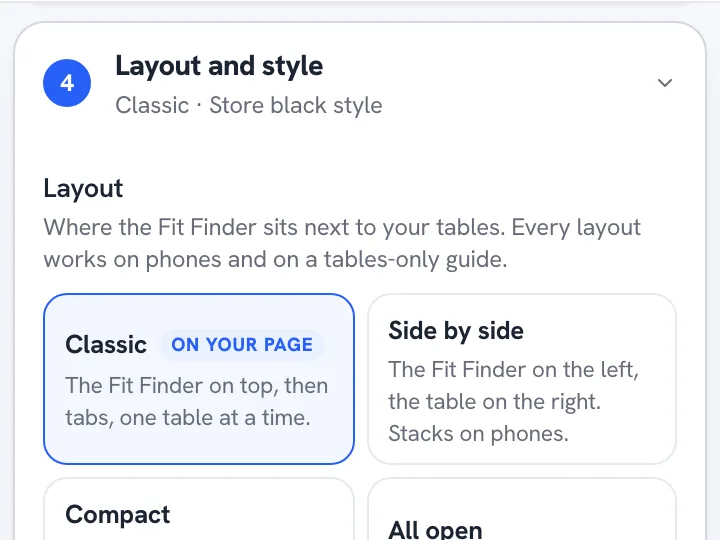
Rename and reorder your columns, pick a layout, and set your accent, font and corners. Click any text or table cell on the preview to change it.
- Your code
<script src="https://www.size.ly/g/guide.js" data-guide="YOUR-CODE" defer></script>Paste one line
Publish, then paste one line of code where your size page goes. The guide sizes itself to the column it sits in.
The answer and your tables on one page.
Your own tables
Tables for women, men and kids, with your columns in your order, such as US, EU, UK and foot length.
The size finder on top
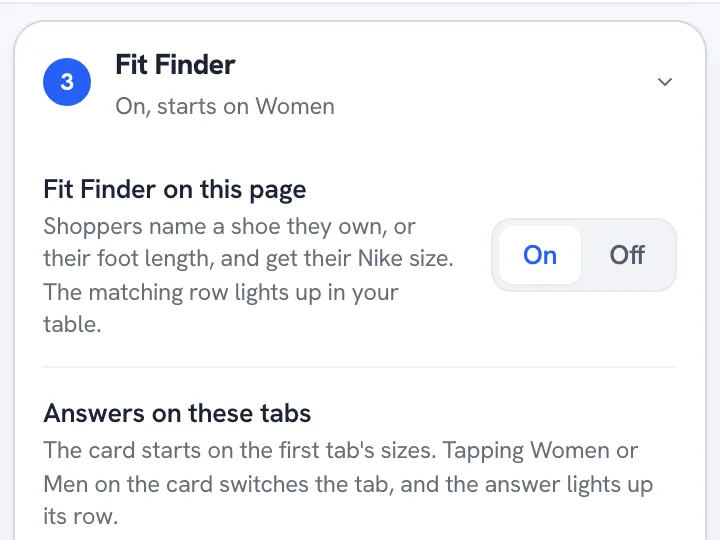
A shopper picks a pair they own and its size, or types a foot length, and the matching row lights up. It answers women's and men's sizes. Kids' tables stay tables.
Or tables only
Switch the finder off and the page is just your tables. A tables-only guide never uses opens.
Your store's look
Pick a layout and set your accent color, font, corners and table style, or take the look of your saved size finder setup in one click.
In your shoppers' language
Add any of 13 languages. Sizely's texts are already translated, and shoppers see the language of the store page they are on.
Made for phones
Every layout works on a phone, tables-only guides included, and the guide never makes your page scroll sideways.
One line of code on your size page.
Copy it from the builder, or email it to yourself, and paste it on your size page. The builder shows the steps for your platform.
On Shopify it goes in a Custom Liquid section, on WooCommerce in a Custom HTML block. Your theme's styles never reach inside the guide.
 Shopify
 WooCommerceAny site
<script src="https://www.size.ly/g/guide.js" data-guide="YOUR-CODE" defer></script>Build it free. Go live on Store or Brand.
Free to build
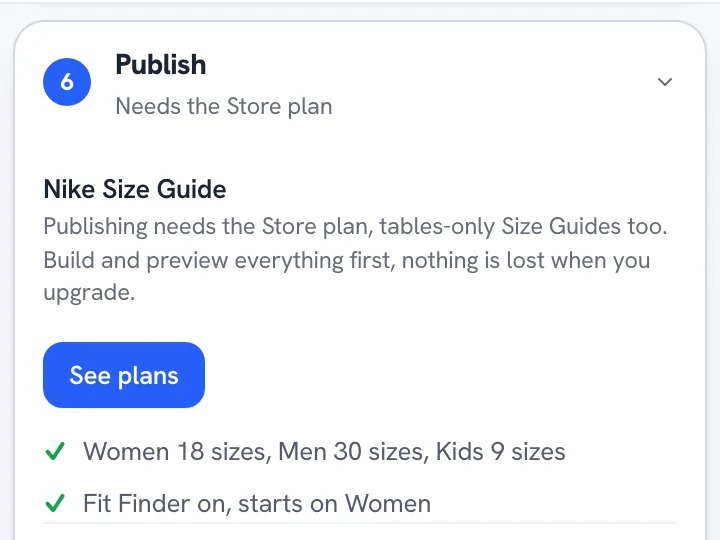
Build, style and preview your Size Guide on any plan, Free included. Nothing is lost when you upgrade.
Live with Store or Brand
Publishing needs Store or Brand, tables-only guides too. Below Store, the guide stops showing on your store.
One shared pool of opens
The size finder on your guide counts toward the opens your plan includes, 2,000 a month on Store and 8,000 on Brand, shared with the size finders on your product pages. An open is counted when a shopper uses the finder, never on a page load.
Your page, your name
A small “Powered by Sizely” line sits under the guide. On Brand you can hide it.
One public price, counted in shoppers who use it.
An open is a shopper opening the size finder on your store. Browsing is free, your orders are never counted, and nothing is billed without your click.
Free to start. No credit card. Set it up and preview it free, then go live on your store with Store or Brand.
Charts included
- 30 garment designs
- 5 Item Charts a month
- 1 Size Chart a month
- Live Size Chart embed
- Inch and cm, PNG export
- 5 Seller Studio credits a month
Free to start. No credit card.
Everything in Free, plus
- Unlimited Item Charts
- 50 Size Charts a month
- All 345 garment designs
- Charts kept live forever, up to 100k views a month
- Full label, table and card styling
- Analytics dashboard
- 50 Seller Studio credits a month
Set it up free first, pay when you go live
Everything in Store, plus
- Unlimited Size Charts
- Up to 250k chart views a month
- 100 Seller Studio credits a month
Set it up free first, pay when you go live
Running past 33,000 opens a month? Tell us what you sell
Questions about price
What counts as an open?
A shopper opening the size finder on your store. Seeing the button costs nothing, page views and orders are never counted, and the same shopper opening it again within the hour counts once.
What happens at my limit?
You get a dated notice before you reach it. On Store you can move up to Brand, and on Brand you can add Booster packs of 5,000 opens. If you add nothing, the finder pauses for shoppers until you add opens or your next renewal clears. We never bill extra automatically.
Can I try it on my store first?
You can build it, style it and preview it free, and see it working in our demo store. It goes live on your store once you choose Store or Brand.
Can I cancel?
Yes, anytime. Your plan stays live to the end of the period you paid for.
Questions from store owners
Do I need a developer?
No. You paste one line of code on your size page, and the builder shows the steps for your platform. Want help? Email yourself the code from the builder and reply to that email.
Does it use opens when nobody uses the finder?
No. An open is counted only when a shopper uses the size finder on the guide, and the same shopper again within the hour counts once. Loading the page, switching tabs and reading the tables cost nothing, and a tables-only guide never uses opens.
Can I try it before I pay?
Yes. Build your guide, style it and preview it free, and try a live Size Guide in our demo store. It goes live on your store once you choose Store or Brand.
What if my brand is not listed?
Paste your chart or upload a screenshot and your tables fill in. Your tables can go live at once. For a brand we do not have yet, the size finder waits for a sizing check by our team.
Which languages does it speak?
Sizely's texts come in 13 languages. Add the ones you want, and shoppers see the language of the store page they are on. Texts you write yourself stay yours.
Is it for shoes or clothing?
Shoes today. The size finder answers shoe sizes, and the tables fill in from shoe brand data. For clothing, add a Size Chart to each product page.
Turn your size page into an answer.
Build it free, preview it with your own tables, and go live with Store or Brand.
Free to start. No credit card.